What This Guide Helps With
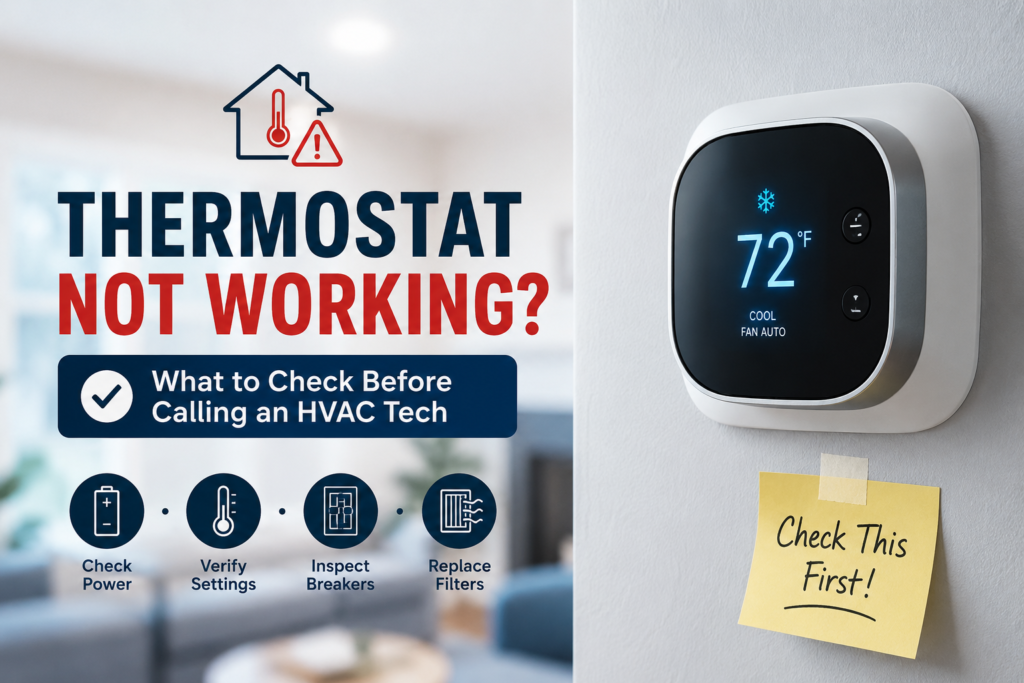
This guide helps diagnose a thermostat that is not working — blank screen, not turning on the AC or furnace, reading the wrong temperature, or cycling incorrectly — and identifies the safe homeowner checks before calling an HVAC technician.
Quick Answer
Most thermostat failures that appear complex are simple: dead batteries, a tripped breaker on the HVAC system, a system switch in the wrong mode (heat vs cool vs fan), or a dirty thermostat location giving it an incorrect temperature reading. Work through these checks before scheduling a service call. If none of them resolve it, the thermostat may need replacement or a wiring issue needs a technician.
Safety First
- Do not open thermostat wiring panels or touch thermostat wires unless you have turned off the HVAC system at the breaker first.
- HVAC wiring uses low-voltage wire (typically 24V) but the system it controls runs on 120V or 240V. Shorting thermostat wires together can damage the HVAC control board — an expensive part.
- If the AC system smells like burning when it runs, or if a breaker trips when you try to run it, stop and call a technician.
- If your home has a gas furnace and you smell gas, leave the home and call your gas utility. Do not troubleshoot the thermostat or HVAC system.
Common Thermostat Problems and Causes
| Symptom | Most likely cause | Check |
|---|---|---|
| Thermostat screen is blank | Dead batteries; tripped HVAC breaker; loss of 24V system power | Replace batteries; check breaker; check furnace power switch |
| Thermostat has power but AC/heat does not start | Mode set to wrong position; HVAC breaker tripped; AC disconnect off | Verify mode switch; check breakers; check disconnect at outdoor AC unit |
| HVAC runs but does not reach set temperature | Thermostat in wrong location, near window or vent; dirty sensor; failing HVAC system | Check location; clean sensor; confirm HVAC is working normally |
| Thermostat shows correct temp but won’t trigger system | Wiring issue; failing relay inside thermostat; failed control board | Replace thermostat (often $20–50 for basic); if new one fails too, call technician |
| Smart thermostat offline or unresponsive | WiFi connectivity; app issue; software update needed; power to C-wire lost | Restart app; reboot thermostat; check WiFi; check C-wire connection |
| HVAC cycles on and off constantly (short cycling) | Thermostat reading slightly off; HVAC oversized for space; dirty filter | Replace filter; check for obvious causes; technician if persistent |
What to Do First — Ordered Checks
- Replace the batteries. Even thermostats that appear to have power can behave erratically with low batteries. Use fresh alkaline batteries and confirm the polarity is correct.
- Check the mode switch. Ensure the system is set to COOL (not HEAT) for AC, and that the fan is set to AUTO (not ON). Fan set to ON runs the fan continuously without conditioning.
- Check the temperature setting. The set temperature must be lower than the current room temperature for AC to run. Set it at least 2°F below the current reading and wait 5 minutes.
- Check the HVAC breaker. Go to the breaker panel. There is typically a breaker labeled “furnace,” “air handler,” “AC,” or “HVAC.” Confirm it is in the full ON position. Also check the outdoor AC unit — it has a separate disconnect box near the unit.
- Check the furnace power switch. Near the furnace or air handler there is usually a light switch–style power switch on the wall or on the unit itself. Confirm it is ON.
- Check the AC disconnect. Outside at the outdoor condenser unit, there is a disconnect box. Open the cover and confirm the disconnect is in. Some disconnects use a pull-out block — confirm it is seated properly.
- Check the filter. A severely clogged air filter restricts airflow and can cause the system to shut off on a safety limit. Pull the filter and confirm it is not completely blocked.
- Reboot the thermostat. Remove from the base, remove batteries, wait 30 seconds, reinstall. For smart thermostats, hold the reset button per manufacturer instructions.
Smart Thermostat Specific Checks
- No display or unresponsive: Smart thermostats require a C-wire (common wire) to power them continuously. Without it, they rely on battery and can malfunction. Confirm the C-wire is connected at both the thermostat and the furnace terminal board.
- Offline in app: This is usually a WiFi issue, not an HVAC problem. Restart the thermostat, move the router closer temporarily, or check that the thermostat is on the 2.4GHz network (most smart thermostats do not connect on 5GHz).
- Wrong temperature reading: Smart thermostats use internal sensors. If installed near a window, exterior wall, or vent, the local temperature at the thermostat may be 5 to 10 degrees off from the room. Many smart thermostats allow calibration offset in settings.
- Schedules not triggering: Review the schedule for AM/PM errors (a common setup mistake) and confirm the thermostat’s internal clock is set correctly, especially after a power outage.
What Not to Do
- Do not short thermostat wires together to “test” if the HVAC responds. This can damage the control board inside the furnace or air handler — an expensive repair.
- Do not assume the HVAC system is broken because the thermostat is unresponsive. Most thermostat failures are power or setting issues.
- Do not install a new thermostat without checking compatibility. Not all thermostats work with all systems. Heat pumps, two-stage systems, and systems without a C-wire need specific models.
- Do not ignore a system that short-cycles constantly. Brief on-off cycles every few minutes can indicate low refrigerant, a failing component, or a thermostat location problem.
Related Guides
- AC Running But Not Cooling: What to Check
- Furnace Not Turning On: First Checks
- Heating, Cooling & Indoor Air
Thermostat Replacement — When It Makes Sense
A basic digital thermostat costs $20 to $50 and replacing one is a homeowner-accessible task if you:
- Photograph the existing wiring before disconnecting anything
- Label each wire with masking tape
- Match the new thermostat to your system type (single-stage, two-stage, heat pump)
- Confirm the new unit is compatible with your number of wires and C-wire availability
If you have a heat pump, zoned system, or a system with more than 5 wires, verify compatibility carefully or ask an HVAC technician to confirm before purchasing.
When to Call a Licensed HVAC Technician
Call a licensed HVAC technician if:
- All the checks above are confirmed and the HVAC still does not respond.
- Replacing the thermostat with a known-compatible model does not resolve the issue.
- The AC runs but does not cool, and the problem is not the thermostat — see our AC not cooling guide.
- The breaker for the HVAC trips when you try to run the system.
- You suspect a wiring fault — wires are connected to wrong terminals, burn marks at connections, or wiring that was recently disturbed during a renovation.
- The system is short-cycling and the filter is clean — this may indicate a refrigerant or component issue.
Prevention Tips
- Replace thermostat batteries annually in spring, before AC season.
- Clean the thermostat face and area gently — dust on the internal sensor causes inaccurate readings.
- Do not install a thermostat near a window, exterior door, supply air vent, or kitchen — these create false temperature readings.
- Test the system in spring before you need it: turn on AC on the first warm day and let it run for 20 minutes. Early testing catches problems before peak season when HVAC technicians are booked weeks out.
- Keep a photo of the thermostat wiring labels somewhere accessible — it makes future replacements or troubleshooting faster.
Recommended Next Step
Work through the ordered checks above before scheduling a service call. The most common resolutions — batteries, mode setting, breaker, or filter — take under 15 minutes. If all checks are confirmed and the system still will not run, a thermostat replacement is the logical next step. If a new thermostat does not resolve it, the problem is in the HVAC system itself.
Frequently Asked Questions
How do I know if my thermostat is the problem or the HVAC system?
If you can confirm the thermostat has power, is set correctly, and is sending a signal (some thermostats show whether a “call for cooling” is active), and the HVAC still does not respond, the problem is more likely in the system. A quick test: some systems can be tested at the furnace/air handler terminal board — but this requires comfort with wiring. When unsure, a technician’s visit is the clear answer.
Why is my thermostat reading a temperature 5 degrees higher than what it feels like?
Location is the most common cause. Direct sunlight, a nearby supply vent blowing warm air in winter, or installation on an exterior wall can cause the thermostat to read higher than the actual room temperature. Many digital and smart thermostats allow temperature offset calibration in their settings.
Do I need a C-wire for a smart thermostat?
Most smart thermostats require a C-wire (common wire) to maintain continuous power. Without it, they typically use a power-stealing method that can cause the furnace to hum or components to malfunction. If your current thermostat has only 2 to 4 wires, check for a C-wire at the furnace control board — there may be an unused wire in the thermostat cable.
Can I install a smart thermostat myself?
Yes, for most standard single-stage heat and cool systems with a C-wire. Photograph the wiring, label each wire, check the compatibility tool on the thermostat manufacturer’s website, and follow the instructions. Heat pump systems, zoned systems, and older systems benefit from a professional installation to avoid control board damage.
Why won’t my thermostat go below 65°F even in the summer?
Most thermostats have a minimum setpoint limit — typically 50°F or 60°F. This protects the HVAC system from running at temperatures that cause condensation problems or refrigerant issues. This is normal behavior, not a fault.