
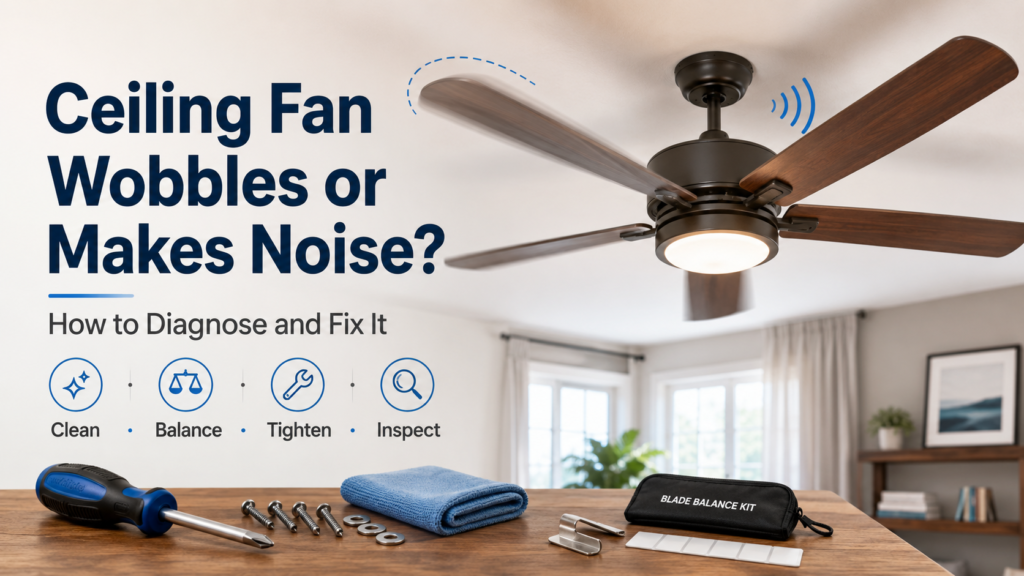
Quick Answer
A wobbling ceiling fan is almost never a motor problem. Cleaning the blades resolves more wobble cases than most homeowners expect because dust accumulates unevenly and adds asymmetric weight. Persistent wobble after cleaning points to a blade balance issue or loose mounting hardware. A noisy fan that does not wobble is usually a loose blade bracket screw, an incompatible dimmer switch causing electrical hum, or a motor bearing beginning to fail.
Safety First
- Turn off the fan at the wall switch AND at the circuit breaker before touching any mounting hardware or blade brackets. The wall switch alone is not sufficient electrical isolation for physical inspection work.
- A fan that wobbles severely enough to visibly move the ceiling should be turned off immediately and not run again until inspected. A ceiling fan that falls is a serious injury risk.
- Confirm the ceiling electrical box is fan-rated before any other inspection. Fan-rated boxes are stamped “Acceptable for Fan Support” or “Fan Rated.” Standard light-fixture boxes are not rated for the dynamic load of a spinning fan — this is a code requirement, not just a recommendation.
- Always use a stable, weight-rated step ladder. Do not stand on a chair or improvised surface.
Wobble vs Noise — The Diagnosis Split
| Symptom | What it looks or sounds like | Most likely cause |
|---|---|---|
| Wobble at all speeds | Fan visibly shakes or sways in a circular pattern | Unbalanced blade — dust accumulation or weight difference |
| Wobble only at medium or high speed | Stable at low, shakes at higher settings | Blade bracket loose or slightly bent |
| Wobble that also moves the ceiling | The canopy and surrounding ceiling move with the fan | Mounting bracket loose or ceiling box not fan-rated |
| Regular clicking once per rotation | Click sound in rhythm with fan speed | Loose blade screw or loose light kit component |
| Electrical hum independent of speed | Constant hum or buzz from the motor area | Incompatible dimmer switch or failing motor capacitor |
| Grinding or rough mechanical sound | Rough noise at the motor housing | Worn motor bearing — motor approaching end of life |
| Scraping noise once per rotation | Rhythmic scraping from top of the fan | Blade too close to canopy or light kit loose |
Fix 1 — Clean the Blades First (Resolves Many Wobble Cases)
Dust accumulates more on some blade surfaces than others — adding unequal weight and creating the conditions for wobble. This is the most overlooked cause and the fastest resolution.
- Turn the fan off and wait for complete stop.
- Wipe the top and bottom surface of every blade with a damp microfiber cloth.
- Run the fan again and observe wobble at each speed setting. Many cases are resolved entirely by this step.
Fix 2 — Check Blade Height Uniformity
- Fan off. Hold a rigid ruler at a fixed reference point on the motor housing or mounting bracket.
- Measure the distance from that point to the tip of each blade in sequence.
- All blades should be at the same height within approximately 1/8 inch.
- A blade that differs is warped or has a bent bracket. Carefully bend the bracket back to match the others, or replace the bracket — an inexpensive part available by model number.
Fix 3 — Use a Blade Balance Kit
- Blade balance kits include small self-adhesive weights and a clip-on test weight. Most fans ship with one; replacement kits cost $5 to $8 at hardware stores.
- Clip the test weight to the trailing edge of one blade at its midpoint. Run the fan at medium speed and observe wobble.
- If wobble reduces, that is the blade needing additional weight. Move the test weight toward the blade tip or back toward the motor to find the optimal position.
- Apply the self-adhesive weight permanently at that location.
- If that blade does not improve things, move the test weight to the next blade and repeat.
Fix 4 — Tighten All Blade and Bracket Screws
Fan off, power off at the circuit breaker. Tighten every screw at two points: where the blade attaches to the bracket, and where the bracket arm attaches to the motor housing. Even one slightly loose screw creates both wobble at speed and rhythmic clicking noise.
Fix 5 — Inspect the Ceiling Mounting
If the canopy and surrounding ceiling move with the fan — not just the fan blades — the issue is in the mounting, not the blade balance.
- Turn off power at the circuit breaker. Open the canopy (typically unscrews or snaps open).
- Confirm the mounting bracket is seated firmly against the ceiling box and all screws are tightened fully.
- Verify the ceiling box is fan-rated. If it is a standard light box, it must be replaced with a fan-rated box before the fan can safely continue operating — this is a licensed electrician job.
Fix 6 — Electrical Hum: Check the Wall Switch
A standard light dimmer switch connected to a ceiling fan causes the motor to hum because the dimmer modulates voltage in a way that is incompatible with fan motors. Replace the wall control with a fan-rated speed controller. This resolves the majority of ceiling fan hum complaints without any work on the fan itself.
If the correct fan-rated control is already installed and hum continues, the motor capacitor may be failing — an inside-the-motor repair for a technician or experienced DIYer with the correct replacement capacitor.
What Not to Do
- Do not run a fan that wobbles severely enough to move the ceiling — investigate the mounting box first.
- Do not use a standard light dimmer switch on a ceiling fan.
- Do not add arbitrary tape, washers, or improvised weights to blades — use a calibrated blade balance kit.
- Do not access the canopy or mounting hardware without confirming power is off at the circuit breaker, not just the wall switch.
- Do not continue running a fan with a grinding sound — a failing motor bearing will eventually seize.
Related Guides
- Breaker Keeps Tripping: Could Affect the Fan Circuit
- GFCI Outlet Won’t Reset: Electrical Context
- Electrical, Lighting & Smart Home
Safe DIY Checks
- Clean all blades — top and bottom — before any other step.
- Measure blade height uniformity and look for bent brackets.
- Tighten all blade screws and bracket screws (power off at breaker).
- Use a blade balance kit for wobble that persists after cleaning and tightening.
- Check whether the wall control is a fan-rated speed controller, not a light dimmer.
- Inspect the canopy and mounting hardware for tightness.
When to Call a Licensed Electrician
- The ceiling electrical box is not fan-rated — a safety issue that must be corrected regardless of whether the fan currently wobbles.
- The mounting hardware or box shows signs of pulling away from the ceiling structure.
- The fan trips the circuit breaker when turned on.
- You smell burning from the motor housing or see scorching on wires at the canopy.
- Grinding continues after all tightening and balancing steps — motor replacement or full fan replacement may be needed.
Prevention Tips
- Wipe fan blades monthly during periods of heavy use — even light dust accumulation causes imbalance over time.
- Tighten all blade and bracket screws at the start of each summer season before daily use begins.
- Use a fan-rated wall speed controller, not a light dimmer.
- Run the fan at low speed in reverse (clockwise from below) in winter rather than at high speed — reduces wear on motor bearings over time.
Recommended Next Step
Clean all blades first — this takes five minutes and resolves a surprising percentage of wobble cases. If wobble persists, measure blade height and use a balance kit. If the ceiling itself moves with the fan, address the mounting box before anything else — that is the safety-critical item.
Frequently Asked Questions
Is a slight ceiling fan wobble dangerous?
A very slight wobble is common in many fans and is usually a blade balance issue — annoying but not immediately dangerous. A fan that wobbles significantly, shakes the surrounding ceiling, or has visibly loose mounting hardware should be turned off until inspected.
Why does my new fan wobble right out of the box?
New fans often have very slight blade unevenness from manufacturing. The balance kit included in the box is designed to address this. Also confirm all blade bracket screws are tightened — they sometimes loosen during shipping and handling.
My fan hums at all speeds. Is it the motor failing?
Check the wall control first. A standard light dimmer connected to a fan motor causes hum and can shorten motor life. Replace it with a fan-rated speed controller. If hum continues with the correct control in place, the motor capacitor may be failing.
What direction should my ceiling fan spin in summer?
Counter-clockwise when viewed from below — this pushes air directly downward, creating a wind chill effect that makes occupants feel cooler without lowering room temperature. In winter: clockwise at low speed, which draws cool air upward and pushes warm air that has risen to the ceiling back down along the walls.
Can I replace just the motor on a ceiling fan?
Motor replacement is possible but the cost is often comparable to a new mid-range fan. For fans older than 8 to 10 years, full replacement is typically the more cost-effective choice. For a newer quality fan with a failed motor, a technician can assess whether replacement makes economic sense.